 Cream
Cream
Live
A live room of your own, separate from a private call. Gifts sent in the room become coins when the live ends.
live video
Cream is a private 1v1 video platform. Hosts earn coins from calls, live matching, gifts, live rooms, and tasks. Those coins can be withdrawn in the app.
For guild partners
The desk for a Cream agency.
Invite anchors, follow each day, and settle commission.
EnterHow hosts earn
Private 1v1
A private video call with one person. The time that can be settled is counted as coins, so a longer call adds more to the same balance.
Live matching
Live matching while you are online. Cream connects you with someone ready to talk, and that call is paid the same way as a private call.
Gifts
Gifts during a call sit on top of the time already counted. They land in the same coin balance, not in a separate one.
Beside the call
A live room of your own, separate from a private call. Gifts sent in the room become coins when the live ends.
Daily tasks and one-time tasks, paid in coins beside call income. A task can be calls, photos, a post, a short video, or a few minutes online.
In the app
Profile
Photos, a short intro, and an opener. That is what people see before a call, and profile tasks in the app can add coins.
Withdrawal
Coins from calls, gifts, lives, and tasks sit in one balance. It can be withdrawn in the app when it reaches the amount shown there.
Referral
Inviting another host can add a referral reward. The app shows which part of her income counts toward it.
Install guide
Cream is not on the app store. After the download finishes, follow the steps below.
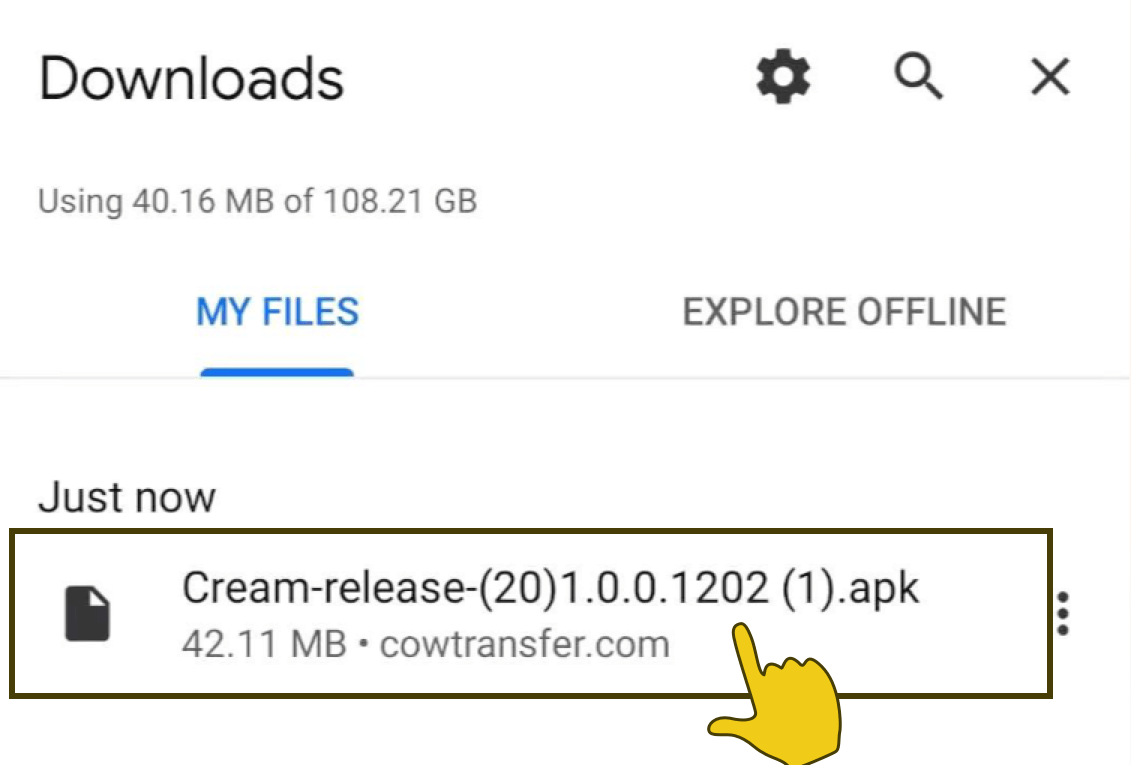
Allow the download
Tap OK when the browser asks to save the app.
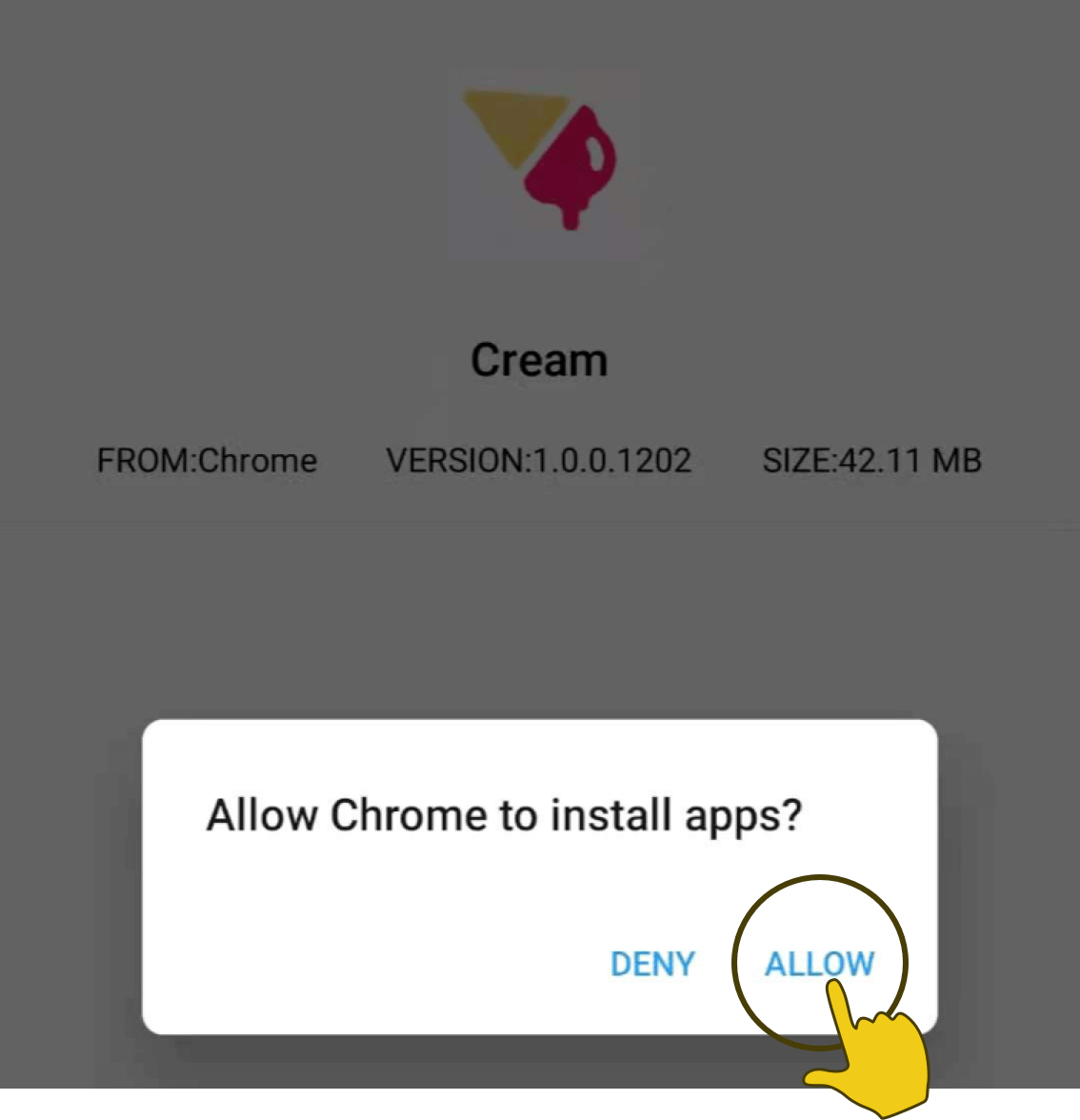
Install the package
Open the file and tap Install. Cream is a private build, not a store listing.
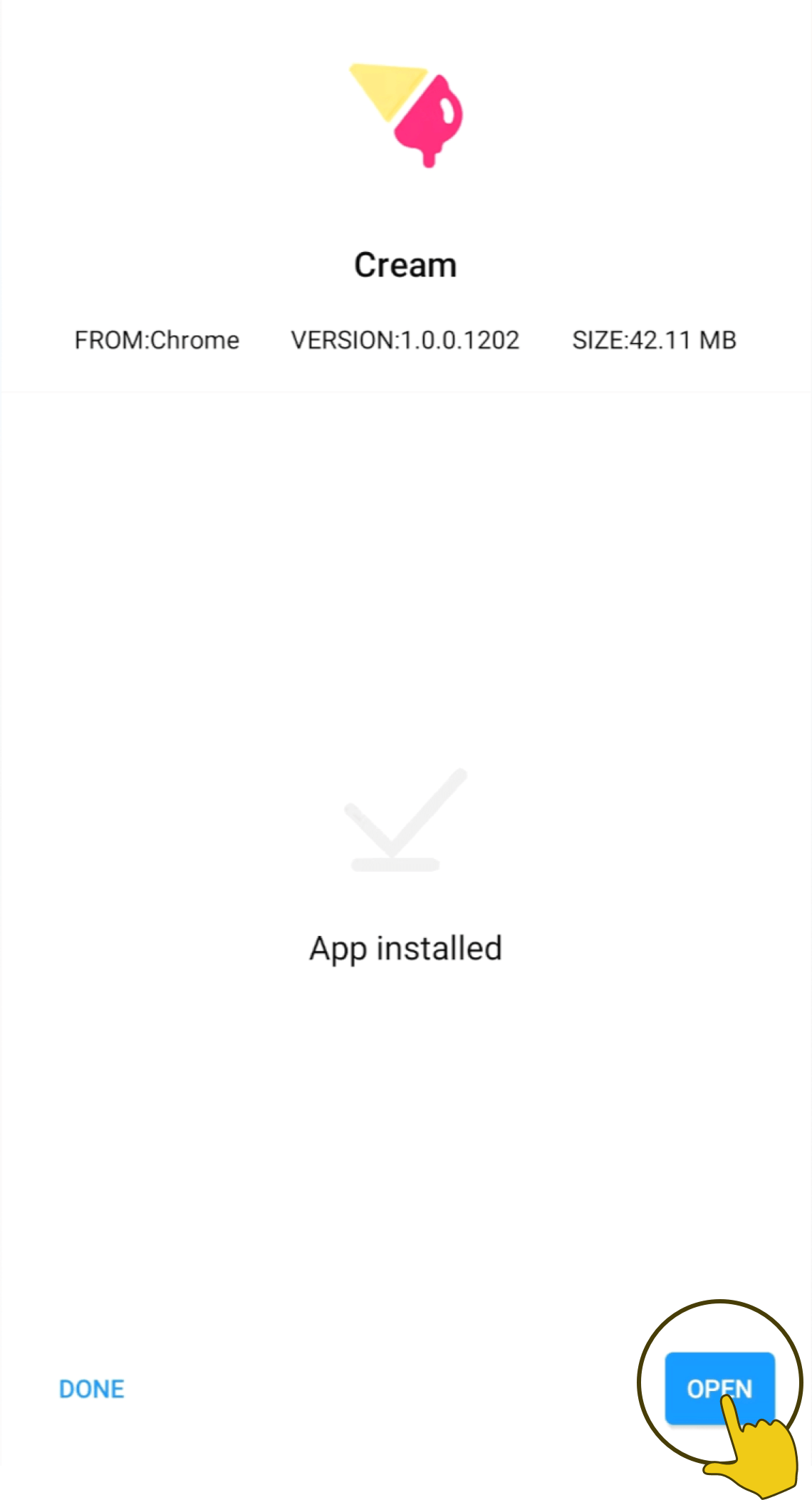
Open and allow permissions
Enable camera, microphone and notifications, then open the app.